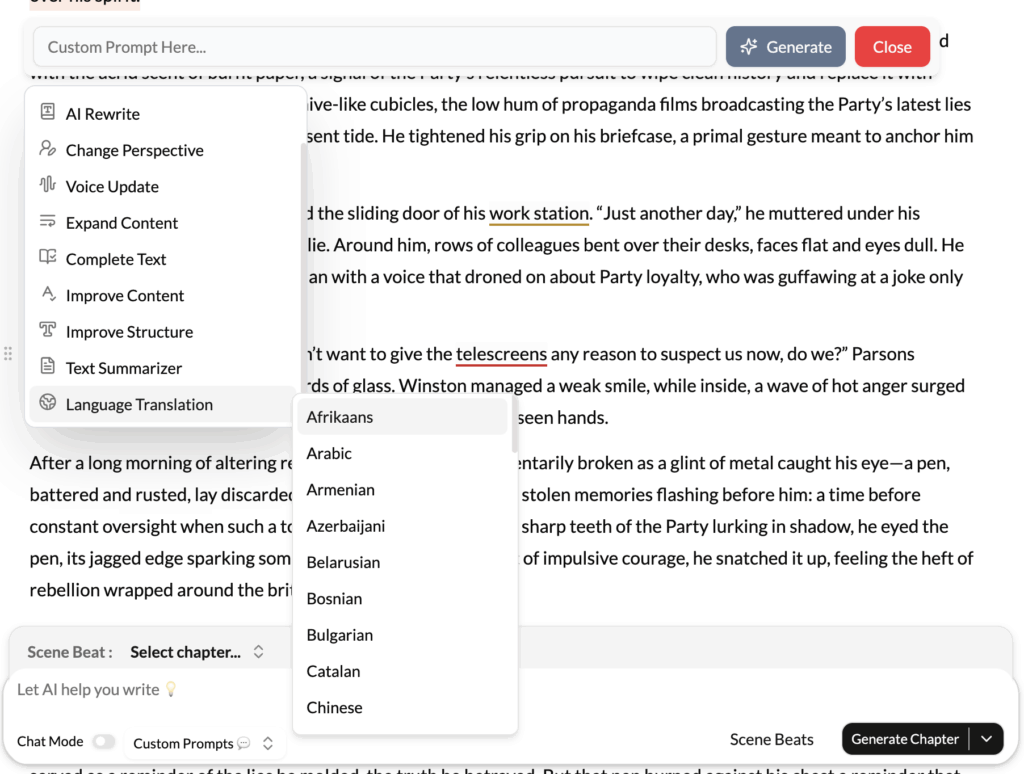
\What It Does?
The Language Translation tool provides high-quality, context-aware translation directly within your writing environment. It can translate a selected piece of text from a source language into a target language of your choice, leveraging advanced neural machine translation models to ensure accuracy and natural phrasing.
How to Use It?
- Highlight Text: Select the word, phrase, or paragraph you wish to translate.
- Click Language Translation: Choose the option from the contextual menu.
- Select Languages: A dialog will appear. The AI will often auto-detect the source language. You will then need to select your desired target language from a dropdown list.
- Get the Translation: The translated text will appear, ready for you to copy or insert into your document.
Best Use Cases
- Academic Research: When working with sources or scholarly articles written in other languages, this tool allows you to quickly translate key passages for your notes and analysis without having to switch to an external translation website.
- Fiction Writing: If you have characters who speak different languages, you can write their dialogue in their native language and use the tool to provide an accurate translation for the reader (or for your own reference). It can also be used to ensure the foreign phrases you sprinkle into your prose are grammatically correct.
- Global Business Communication: Quickly translate an email from an international client, draft a response in their language to show goodwill, or adapt marketing copy for a different regional market.
- Learning a New Language: This can be a practical learning aid. You can try to write a paragraph in a language you are learning and then use the tool to see a corrected or more natural-sounding version, helping you improve your skills.
Pro-Tip
For best results, translate sentence by sentence or, at most, paragraph by paragraph. While the AI is powerful, context is key. Translating smaller chunks of text allows the AI to better understand the immediate context and provide a more accurate translation than if you were to translate an entire multi-page document at once. Also, remember that no machine translation is perfect, especially for highly nuanced or poetic language. It’s an excellent tool, but for mission-critical or creative work, having a native speaker review the output is always recommended.