What It Does?
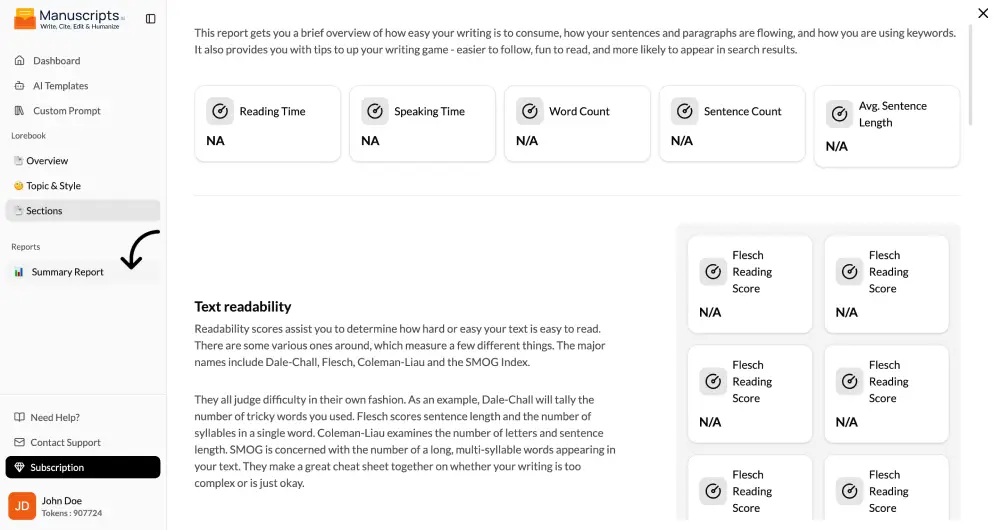
The Summary Report is your manuscript’s high-level dashboard. It provides a quantitative, bird’s-eye view of your entire project, translating your work into a series of objective metrics and visualizations. This tool is not about subjective feedback; it’s about presenting the hard data of your writing, allowing you to analyze your work from a completely new perspective and identify macro-level patterns that are invisible when you’re focused on the prose.
How to Use It?
- Navigate to the Report Section: From your main project view, select the “Report” tab.
- Generate the Report: Click the “Generate Summary Report” button. The AI will perform a full-pass analysis of your entire manuscript.
- Analyze the Metrics: Review the key data points presented in the report.
Key Metrics Explained
The Summary Report typically includes the following sections:
- Core Statistics: The basic numbers that define the scale of your project.
- Total Word Count: The overall length of your manuscript.
- Chapter Count & Average Length: Helps you identify if any chapters are disproportionately long or short.
- Character Mentions: A leaderboard showing which characters dominate the narrative, helping you see if a minor character is getting too much screen time or a major one isn’t getting enough.
- Readability Analysis: This section gauges how accessible your writing is to the average reader.
- Flesch-Kincaid Grade Level: This score estimates the U.S. school grade level required to understand your text. A score of 8.0, for example, means your text should be understandable to the average 8th grader. This is crucial for ensuring your writing matches your target audience (e.g., a Young Adult novel should typically score between 7.0 and 9.0).
- Flesch Reading Ease: A score from 1-100, where higher scores indicate easier readability. Scores of 60-70 are considered plain English and are easily understood by most adults.
- Pacing Chart: This is a line graph that visually represents the pacing of your story from beginning to end.
- How it Works: The AI analyzes sentence length, paragraph length, and the frequency of action-oriented verbs versus descriptive language.
- What it Shows: You can literally see where your story speeds up (sharp peaks for action scenes) and slows down (valleys for description, exposition, or introspection). This is invaluable for identifying a “soggy middle” or an introduction that takes too long to get to the action.
- Sentiment Analysis: This feature tracks the emotional arc of your story.
- How it Works: The AI analyzes the emotional polarity (positive, negative, neutral) of the language used in each chapter.
- What it Shows: It generates a graph that visualizes the emotional journey of your manuscript. You can see if your intended dark and brooding middle section is actually coming across as neutral, or if the triumphant climax registers as emotionally positive.
- Dialogue to Narrative Ratio: This metric shows a simple percentage breakdown of how much of your book is dialogue versus how much is narrative description and exposition. A dialogue-heavy book (e.g., 60-70%) will feel fast-paced and character-driven, while a narrative-heavy book will feel more descriptive and introspective. There’s no “right” ratio, but this helps you understand the overall texture of your storytelling.
Best Use Cases
- Structural Editing: Use the Pacing Chart to identify sections that need to be trimmed, expanded, or rearranged to improve the overall flow of your novel.
- Audience Targeting: Use the Readability scores to ensure your writing style is appropriate for your intended audience.
- Emotional Arc Check: Use the Sentiment Analysis to confirm that the emotional journey you designed for the reader is being effectively translated into the prose.
Character Balancing: Use the Character Mentions to ensure your main characters are truly at the center of the story.