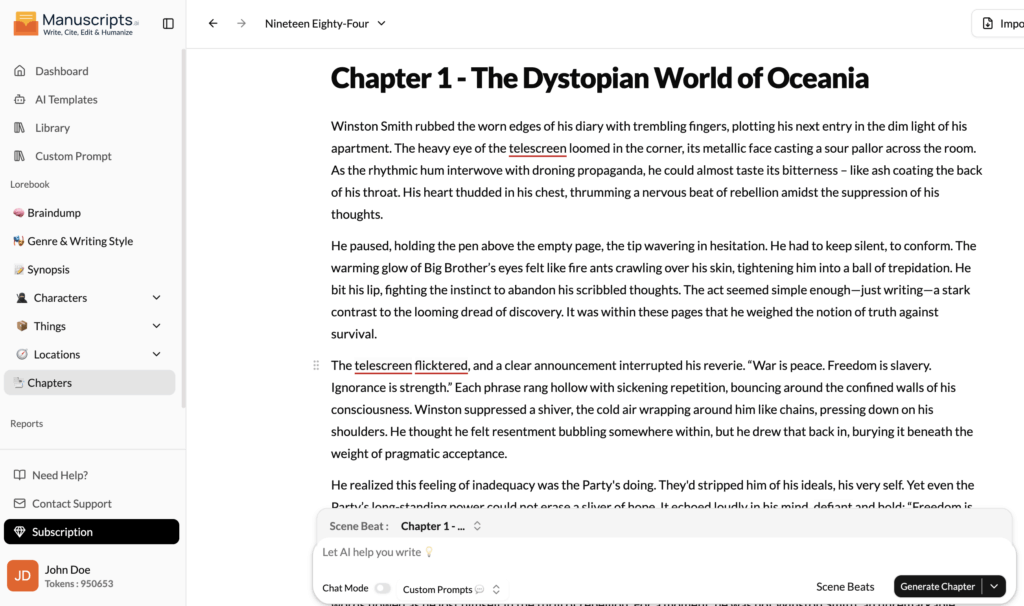
This is it. The Chapters section is the destination toward which all your other work in the Lore Book has been leading. This is your primary writing space, the digital canvas where the architecture of your outline, the depth of your characters, and the richness of your world-building are finally synthesized into the living, breathing prose of your manuscript.
While it functions as a state-of-the-art text editor, the Chapters section is far more than a blank page. It is an intelligent, context-aware environment. Thanks to its deep integration with your entire Lore Book, the AI co-pilot working alongside you is not a generic assistant; it is a world-class expert on your story.
The Integrated Writing Experience
When you open a new chapter to begin writing, you are not working in a vacuum. The full power of your Lore Book is available and actively informing the AI’s assistance.
- Context is King: The AI has read your Genre & Writing Style guide, so it knows the tone you’re aiming for. It has studied your Synopsis and Outline, so it knows the chapter’s purpose in the broader narrative. It has memorized every entry in your Characters & Things, so it knows your protagonist’s deepest fears and the history of the city they’re walking through.
- Informed Suggestions: This deep context means the AI’s suggestions are incredibly relevant. If you’re stuck, asking it to Continue the scene won’t produce a random paragraph. It will generate prose that is stylistically appropriate, moves the plot forward according to your outline, and has characters acting and speaking in a way that is consistent with their established profiles.
- Seamless Information Access: You no longer need to switch between multiple windows or search through messy folders. You can have the character profile for who is in your scene, or the beat sheet for the chapter, open in a side panel right next to your manuscript. This allows for effortless fact-checking and consistency. Did you forget the color of a character’s eyes or the name of a tavern? The answer is one click away, without ever leaving your writing flow.
Your AI Co-Pilot in Action
Here’s how the AI leverages the Lore Book to become an indispensable partner during the drafting process:
- Overcoming Writer’s Block: You write the first sentence: Elara walked into the tavern. You’re stuck. You can ask the AI, Describe the tavern, keeping in mind Elara is nervous and trying to be inconspicuous. The AI, knowing from the Lore Book that this tavern is a notorious smuggler’s den and that Elara is a noble on the run, will generate a description filled with shady characters and a tense atmosphere, all filtered through her paranoid perspective.
- Generating Authentic Dialogue: You write: Roric the smuggler turned to Elara. “What do you want?” You can then prompt the AI: Write Elara’s reply. Make her try to sound confident, but let her fear show through. The AI, consulting Elara’s character profile where you’ve noted she is “proud but inexperienced,” will craft dialogue that perfectly captures this internal conflict.
- Maintaining Consistency: The AI acts as your continuity editor. If you write that a character draws a “silver dagger” but their profile in Characters & Things specifies they carry a “bronze shortsword,” the AI can flag this inconsistency, saving you from embarrassing errors in the final draft.
- Enriching the World: As you write, the AI can subtly weave in details from your lore. When describing a cityscape, it might add a sentence about the “statue of the first king, mentioned in the city’s history entry,” adding a layer of depth and history that makes the world feel more lived-in.
The Chapters section is where the magic happens. It’s the culmination of your planning and world-building, a space where technology and creativity merge. It allows you to focus on the art of storytelling, confident that the foundational logic, consistency, and rich detail of your world are being tracked and supported by an intelligent partner every step of the way.