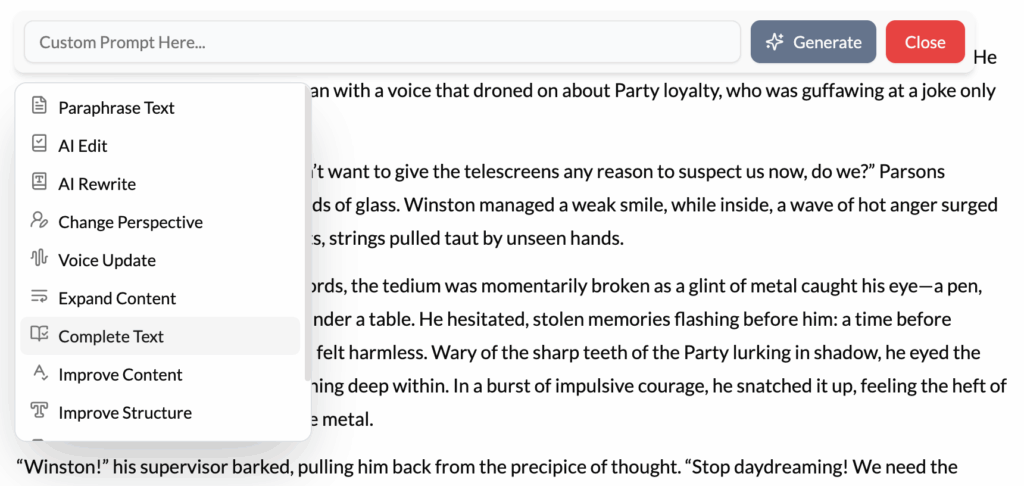
What It Does?
The Complete Text tool is your dedicated momentum-builder. It’s designed to be the ultimate cure for writer’s block, intelligently analyzing the context of your current writing and generating the most logical next sentence or paragraph to continue your train of thought.
How to Use It?
- Write Until You Pause: Draft a section of text until you find yourself hesitating, unsure of what comes next. You can be at the end of a sentence or a paragraph.
- Place Your Cursor: Position your cursor where you want the new text to begin.
- Activate the Tool: You can either highlight the last sentence you wrote or simply have your cursor at the end of your text and click “Complete Text.”
- Let the AI Continue: The AI will read the preceding text, understand its direction, and generate a natural continuation, seamlessly picking up where you left off.
How It’s Different from Expand Content
- Expand Content works on an existing idea. It takes a sentence and makes it deeper and more detailed.
- Complete Text creates a new idea. It looks at what you’ve written and asks, “What is the next logical event or thought?” It moves the narrative or argument forward.
Best Use Cases
- Breaking Through Writer’s Block: This is its primary purpose. When you’re staring at the blinking cursor, completely stuck, Complete Text provides a gentle nudge forward, giving you a new sentence to react to and build upon.
- Transitioning Between Paragraphs: If you’ve finished a paragraph and aren’t sure how to smoothly transition to the next topic in your outline, Complete Text can generate a perfect transitional sentence that bridges the gap.
- Speed Drafting: During a “fast draft” or “sprint,” your goal is to get words on the page without stopping to edit. Use Complete Text aggressively to maintain your momentum and not get bogged down in finding the perfect phrase.
- Dialogue Exchanges: After one character delivers a line, use Complete Text to generate a natural response from the other character, keeping the conversation flowing.
Pro-Tip
Don’t treat the AI’s first suggestion as final. Think of it as a suggestion from a brainstorming partner. Sometimes, its completion will be perfect. Other times, it will be good but not quite right, sparking an even better idea in your own mind. The goal is to keep the words flowing, and Complete Text is the best tool for the job.